AI image generation for sublimation businesses.
If you run a sublimation printing business, you know the bottleneck isn't the press, the blanks, or the heat tape. It's the designs. Getting fresh, commercially-ready artwork used to mean one of three things: hire a designer, subscribe to an expensive stock library, or spend hours in Canva trying to make something that didn't look like everyone else's mug.
AI image generation has quietly changed all three of those options. In the last year, tools like Google Gemini have reached a quality level where the images they produce are — in many cases — better than what a stock library can offer, and far faster than commissioning a designer. The images in this article were created using Google Gemini's latest image generation model and required nothing more than a text prompt.
This article looks at what that means practically for a sublimation business, with real examples across three of the most popular product categories.
What sublimation businesses actually need from AI images
Before diving into the examples, it's worth being clear about what makes an image good for sublimation specifically:
- High resolution — sublimation printing at 300 DPI on a 15oz mug needs source images at least 1200 × 1000px. Most AI generators now output at 1024px or higher, with many supporting 2048px and above.
- Strong, saturated colours — sublimation dyes punch through better when the source file has bold, vivid colour. Flat, muted illustrations work; washed-out watercolours less so.
- Clean edges and defined subjects — busy, chaotic compositions look muddier when wrapped around a curved object. Clear focal points transfer better.
- Commercial usability — images you generate yourself with a tool like Google Gemini are yours to use commercially. That's a significant advantage over stock libraries with their licensing restrictions.
With that in mind, here are three categories where AI generation is already delivering results for sublimation sellers.
1. Location art and travel prints
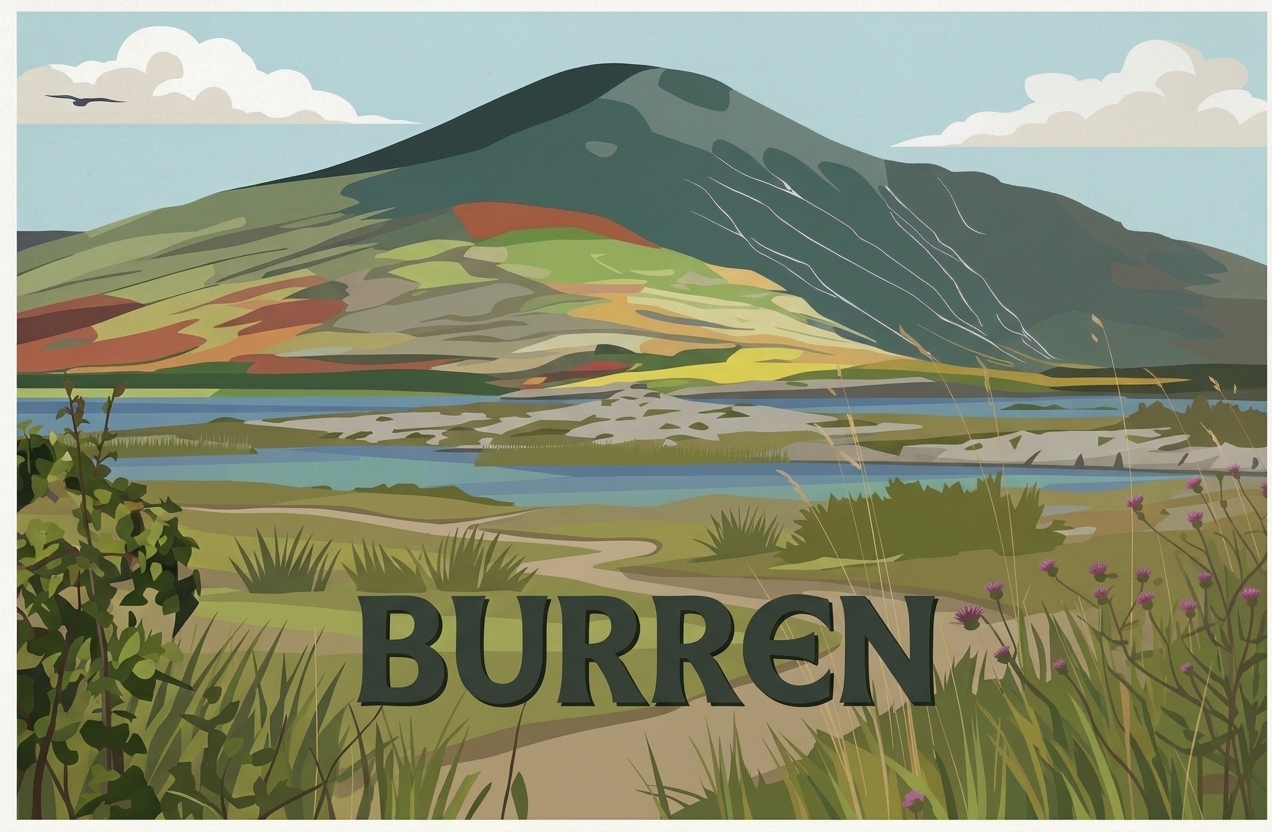
The vintage travel poster style has been a consistent top-seller in Irish sublimation for years — Clare, Connemara, Dingle, the Aran Islands. The demand is there. The problem was always the design: either you paid a designer €80–€150 per location, or you bought generic stock art that every other seller had too.
The Burren image above was generated in under 30 seconds with a single text prompt. The style — flat bold colour, illustrated landscape, period typography — is exactly what sells on mugs, canvas tote bags, coasters, and framed prints. You could generate 30 different Irish locations in an afternoon, each with a consistent visual style, for the cost of a Gemini subscription.
For sublimation sellers, the workflow becomes: generate → review in Photoshop or Canva for any minor tweaks → export at print resolution → load into your RIP software. The design phase that once took hours now takes minutes.
2. Personalised pet portraits
Pet portraits are one of the highest-margin product categories in sublimation gifting. Personalised pet mugs, cushions, t-shirts, and framed prints command €25–€80 per item because the buyer can't get it anywhere else — it's their dog, their cat, their specific animal.
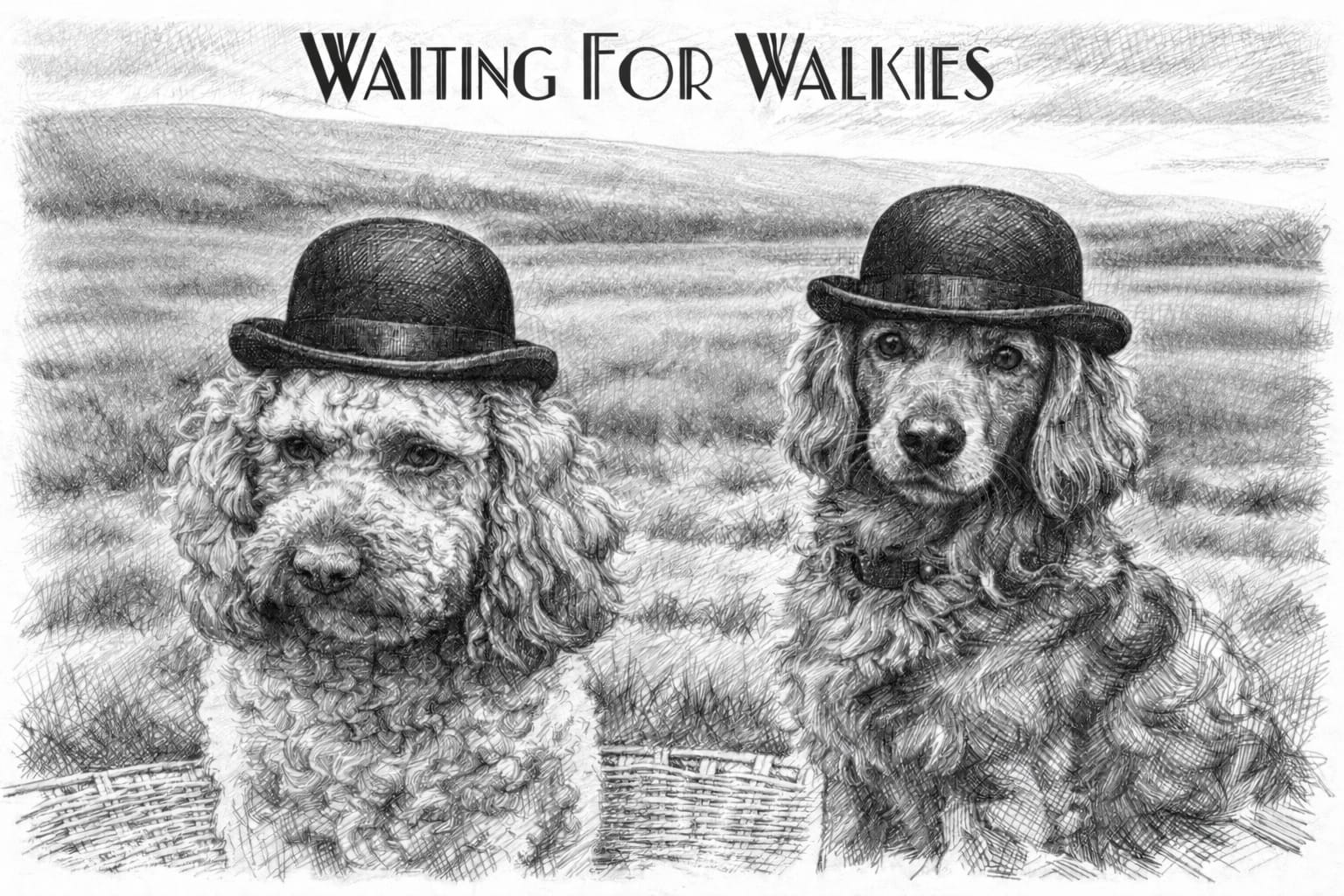
"Waiting For Walkies" above is a great example of what AI can produce for this market. The pencil sketch style is charming, the composition is print-ready, and the text is already embedded in the image. A customer sends you a photo of their two dogs, you describe the breeds to the AI, specify the style, and generate a bespoke design — in seconds, not hours.
The key here is learning to describe dog breeds, poses, and art styles accurately in your prompts. Once you build a library of prompts that work for different breeds and products, you can offer personalised pet portraits at scale — something that was impossible to do profitably before AI image generation.
3. Novelty and personalised gift designs
Beyond travel and pets, there's a huge market in novelty gifts — the kind of product that makes someone laugh when they open it, or that feels like it was made specifically for them. Think customised book covers, spoof magazine fronts, personalised certificates. These products have always sold well at markets and online, but they're time-consuming to design individually.
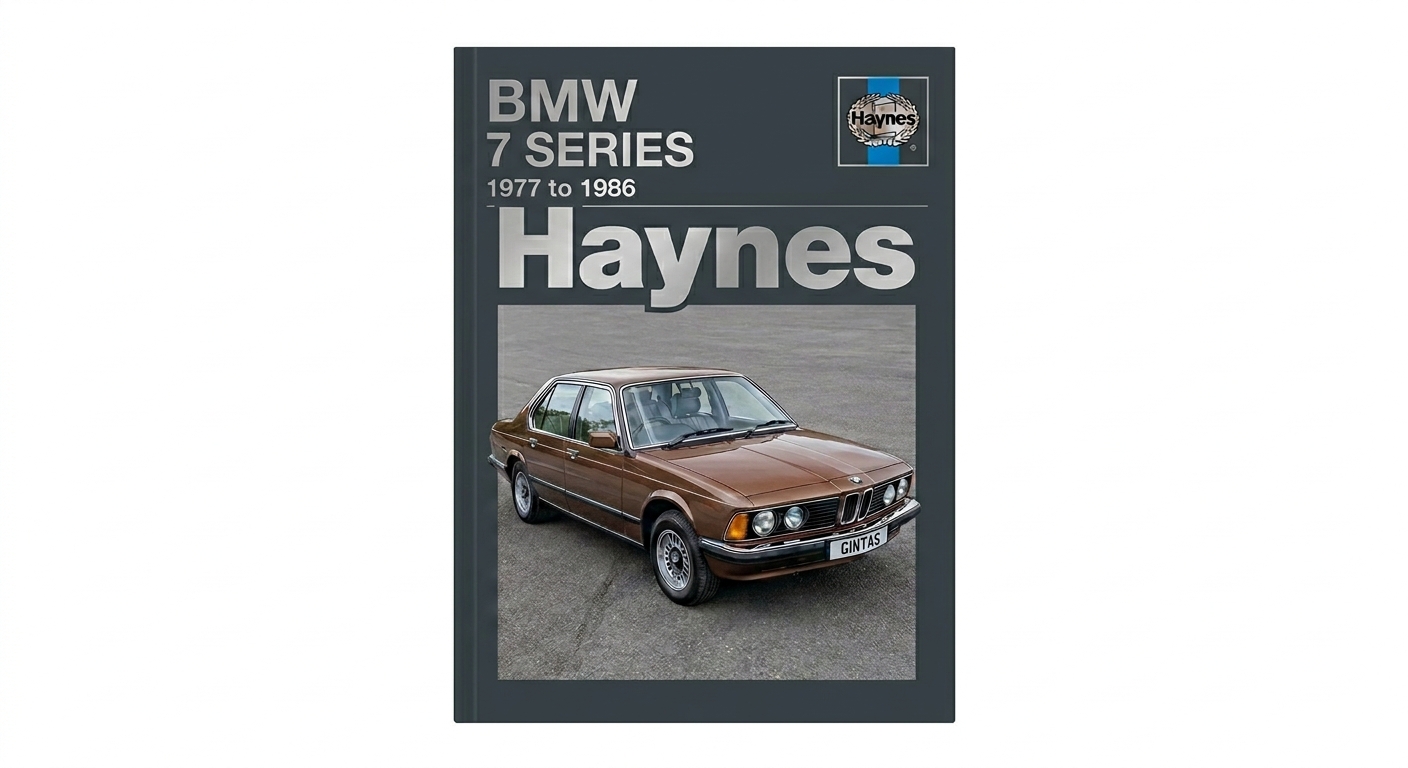
The Haynes Manual mockup above is a brilliant sublimation product. A car enthusiast gets a framed print or a cushion of their actual car — matched by make, model, year, and even number plate — designed in the recognisable Haynes style they grew up with. The AI produced a result accurate enough in style, layout, and detail to be commercially usable with minimal editing.
You can apply this template concept to dozens of niches: classic music album covers featuring the customer's photo, vintage sports programmes, spoof newspaper front pages celebrating a birthday. Each is a premium personalised product, and each starts with a well-written AI prompt rather than hours in a design tool.
Practical tips for prompting AI for sublimation designs
Getting consistently good results from AI image generators takes a bit of practice. Here's what's been working:
- Specify the style explicitly. "Vintage travel poster illustration" gets very different results from "watercolour painting" or "flat vector art". Be precise.
- Include print intent in your prompt. Adding "high resolution, print-ready, bold colours" as modifiers nudges the model toward more saturated, sharper outputs.
- Generate multiple variations. Run the same prompt 4–6 times and pick the best. AI generation has variance — the fifth output is often noticeably better than the first.
- Use negative prompts where available. Excluding "blurry, low quality, watermark, signature" helps keep outputs clean.
- Upscale before printing. Most AI outputs benefit from a pass through an upscaler (Topaz Gigapixel, or the free tools in Canva and Photoshop) before going to your RIP software at 300 DPI.
Getting started
If you haven't experimented with AI image generation for your sublimation business yet, the easiest entry point is Google Gemini (via gemini.google.com). The image generation quality in the latest version is exceptional, particularly for illustrated and stylised artwork. A standard Google One subscription gives you access to the full model.
The sublimation market rewards creativity and speed. AI image generation gives you more of both.
If you'd like help thinking through how AI tools could work in your specific business, we offer 1-to-1 AI strategy sessions for Irish small businesses. The first call is free.